Best Printers for Home Use in India: Ink Tank, Laser and Inkjet Compared
The printer itself is almost never the real cost of home printing – the ink or toner you buy over the following years is. Getting the laser-versus-inkjet-versus-ink-tank decision right, based on how much you’ll actually print, matters far more than any brand comparison, and it’s the thing most home buyers skip entirely while comparing box prices.
I’ve covered all three technologies here, because they genuinely suit different households rather than one being universally better.
Laser, inkjet or ink tank – the choice that determines your running cost
Five things worth understanding before the brand.
- Laser printers are cheaper per page for black-and-white text, but a poor choice for colour photos. Toner cartridges last far longer than ink cartridges and print crisp text cheaply, which is why laser makes sense if your home printing is mostly documents and forms rather than photographs.
- Ink tank printers solve the running-cost problem inkjets used to have. Rather than replacing small, expensive ink cartridges repeatedly, ink tank printers refill from large bottles that print thousands of pages for a fraction of traditional inkjet cartridge costs. If you print a genuine mix of documents and colour images regularly, this is usually the best value technology now.
- Traditional cartridge inkjets are cheapest to buy and most expensive to run. The printer itself costs the least, but ink cartridges are proportionally expensive per page, and this adds up fast if you print anything beyond occasional documents. Fine for genuinely light, infrequent use only.
- Wi-Fi printing is now a baseline expectation, not a premium feature. Being able to print from a phone or laptop without a USB cable is standard on nearly every current home printer. Don’t pay extra expecting this to be a differentiator – check instead whether the app experience is actually smooth.
- Check whether you actually need scan and copy, not just print. All-in-one printers with scan and copy functions cost a bit more but replace a separate scanner for occasional document digitising – genuinely useful for most households, even if used only occasionally.
The best home printers you can buy right now
HP Smart Tank 589 – the best value for regular home printing
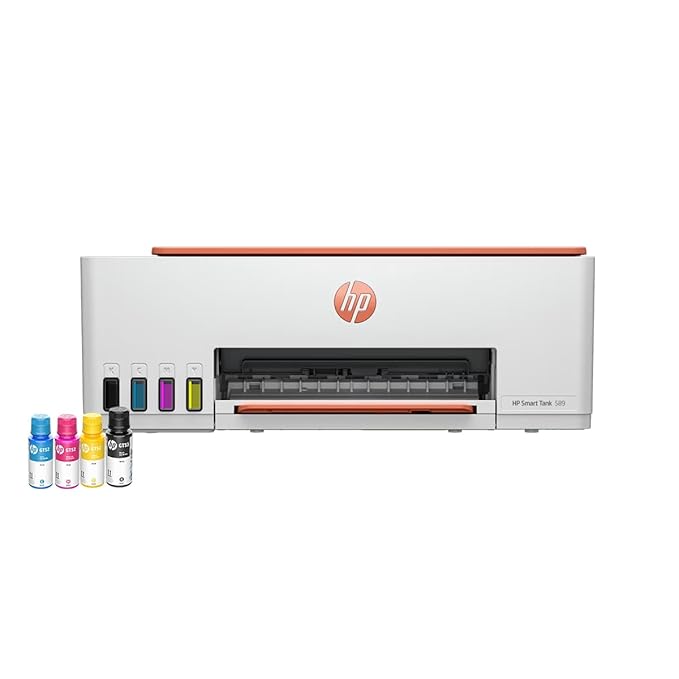
This is the best-rated printer in this entire roundup, and the ink tank system is the reason – refilling from bottles rather than replacing cartridges brings the cost per page down dramatically for a household that prints regularly. Rated for up to 4000 black and 6000 colour prints per set of bottles, it’s built for genuine volume rather than occasional use.
For most homes that print more than the occasional document – school projects, colour worksheets, photos – this is the sensible default that avoids the trap of cheap printer, expensive ink.
Best for: Households that print a genuine mix of documents and colour regularly.
- 👍 Highest owner rating of any printer in this roundup
- 👍 Ink tank system dramatically cuts cost per page versus cartridges
- 👍 Print, scan and copy all-in-one functionality
- 👍 Rated for genuinely high print volumes before refilling
- 👍 WiFi connectivity for printing from phones and laptops
- 👎 Higher upfront cost than a basic cartridge inkjet
- 👎 Larger footprint on a desk than compact cartridge printers
- 👎 Initial ink bottle fill takes more setup time than inserting a cartridge
- 👎 Overkill if your printing is genuinely rare
HP Laser 1008w – the cheap-to-run choice for document printing
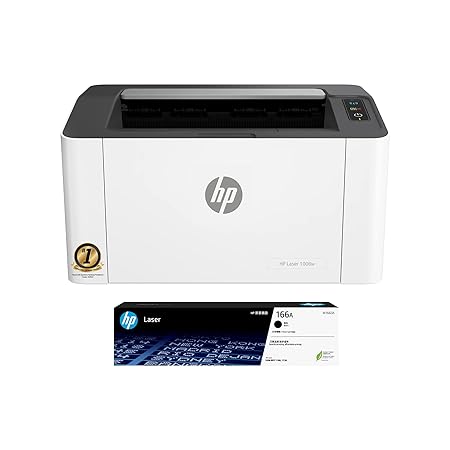
If your home printing is genuinely mostly text – forms, documents, school assignments in black and white – a laser printer’s toner-based printing is both faster and cheaper per page than any inkjet or ink tank alternative. This model’s 10,000-page duty cycle rating reflects genuine capability for sustained document printing.
It’s single-function – print only, no scan or copy – which keeps the price down for households that specifically don’t need those extras and just want fast, cheap, reliable document output.
Best for: Households that mainly print black-and-white documents and want the lowest cost per page.
- 👍 Toner-based printing is cheapest per page for black-and-white text
- 👍 10,000-page duty cycle handles genuine sustained document use
- 👍 Fast print speed at up to 21 pages per minute
- 👍 Wireless connectivity
- 👍 Lower cost than comparable all-in-one models since it’s print-only
- 👎 No scan or copy function, single-purpose only
- 👎 Poor choice if you print colour photos or graphics regularly
- 👎 Toner cartridge replacement, while infrequent, costs more upfront than ink
- 👎 Basic feature set compared to all-in-one alternatives
Brother HL-L2321D – the fast duplex laser printer
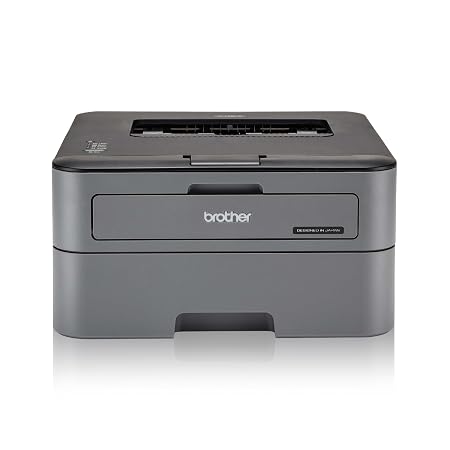
Brother has built genuine credibility in the printer space, and this model’s standout feature is automatic duplex printing – printing both sides of the page without manually flipping paper – combined with a fast 30 pages per minute speed that’s quicker than most home printers in this category.
It carries strong, consistent owner ratings. For anyone printing longer documents regularly where double-sided printing saves real paper and cost, this is a genuinely useful feature that many competing home printers skip.
Best for: Households that print double-sided documents regularly and want speed.
- 👍 Automatic duplex printing saves paper on longer documents
- 👍 Fast 30 pages per minute print speed
- 👍 Strong, consistent owner ratings
- 👍 Large 250-sheet paper tray reduces refilling frequency
- 👍 Established Brother reliability in the laser printer space
- 👎 Print-only, like most laser printers in this segment
- 👎 Not suited to colour photo printing
- 👎 More expensive than basic single-function inkjets
- 👎 Duplex printing adds slight time per page compared to single-sided
Canon PIXMA MG2577s – the cheapest all-in-one entry point
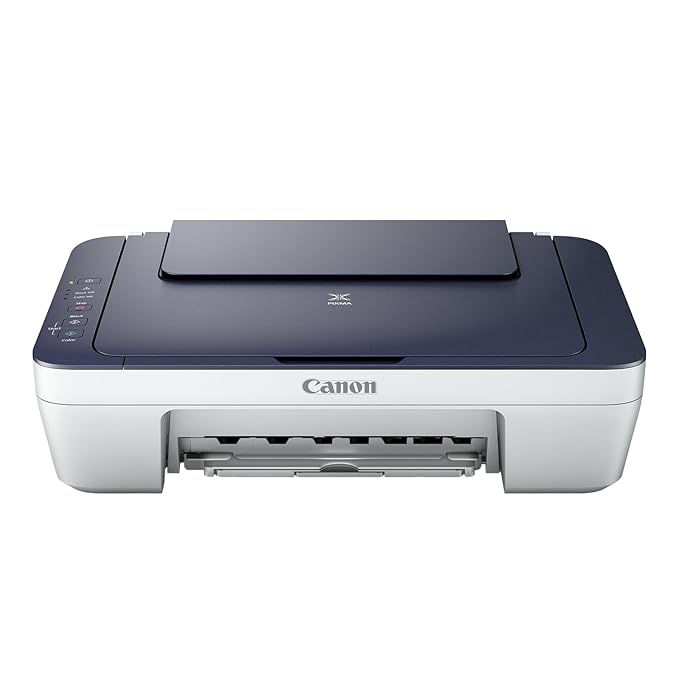
This is the most affordable all-in-one printer in this roundup, and it carries one of the largest accumulated owner feedback bases here, reflecting how many Indian households have bought exactly this as their first home printer. Print, scan and copy in one basic unit covers occasional home needs without a big outlay.
The honest trade-off is running cost – cartridge inkjets like this are expensive per page if you print regularly, so this makes most sense for households that genuinely print only occasionally.
Best for: The tightest budget, for households that print rarely but want scan and copy available.
- 👍 Cheapest all-in-one printer in this roundup
- 👍 Print, scan and copy covers occasional home needs
- 👍 Very large accumulated base of owner feedback
- 👍 Simple setup, good for a first home printer
- 👍 Compact footprint
- 👎 Cartridge ink is expensive per page for regular printing
- 👎 Lowest owner rating of the printers in this roundup
- 👎 Slower print speed than laser alternatives
- 👎 Not suited to households that print frequently
HP Deskjet 2820 WiFi – the compact everyday colour printer
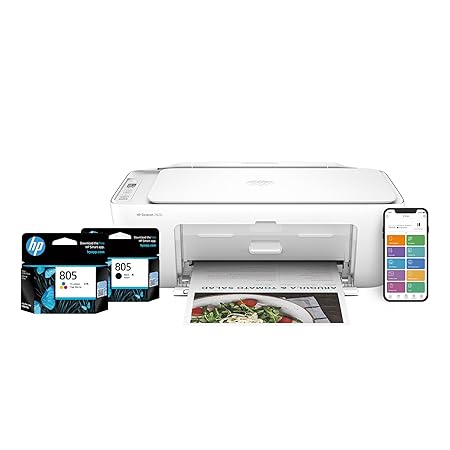
This sits between the cheapest Canon option and HP’s more capable ink tank model, offering WiFi printing and basic scan and copy functions in a compact, affordable package. It’s a straightforward, no-frills choice for households that print occasionally and want the convenience of wireless printing from a phone.
As with any cartridge-based inkjet, the running cost adds up if you print regularly, so this is best suited to genuinely light, occasional use rather than a household that prints daily.
Best for: Light, occasional home printing with WiFi convenience at a low price.
- 👍 WiFi printing adds real convenience for occasional use
- 👍 Print, scan and copy in a compact unit
- 👍 Affordable entry price
- 👍 Simple setup for a first home printer
- 👍 Good for genuinely light printing needs
- 👎 Cartridge ink cost adds up with regular use
- 👎 Lowest owner rating among the printers in this roundup
- 👎 Not suited to households printing frequently
- 👎 Basic build compared to the pricier ink tank alternative
Canon PIXMA E470 – the ink-efficient middle option
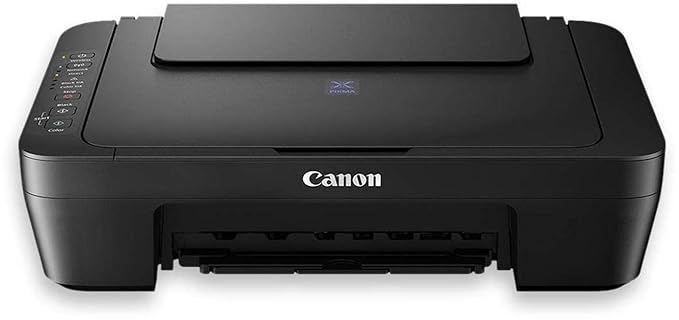
Canon markets this specifically as ink efficient, positioning it between a basic cartridge inkjet and a full ink tank system – it doesn’t match the ink tank’s dramatically lower cost per page, but uses ink more economically than Canon’s most basic printers. It carries a very large accumulated owner feedback base.
For households that want Canon’s print quality reputation with somewhat better running costs than the cheapest inkjet option, without committing to the higher upfront cost of a full ink tank printer, this is the middle ground.
Best for: Households wanting Canon’s print quality with somewhat better running costs than a basic inkjet.
- 👍 Very large accumulated base of owner feedback
- 👍 More ink-efficient than Canon’s most basic inkjet models
- 👍 WiFi printing with print, scan and copy functions
- 👍 Established Canon print quality reputation
- 👍 Reasonable middle-ground price point
- 👎 Still not as cost-efficient per page as a true ink tank printer
- 👎 Moderate owner rating compared to the top options here
- 👎 Cartridge-based, so ongoing cost is higher than ink tank alternatives
- 👎 Best for moderate rather than heavy printing volumes
Frequently Asked Questions
Which printer should most people buy for home use?
The HP Smart Tank 589 if you print regularly – it has the highest owner rating here and its ink tank system dramatically cuts running costs. For occasional light printing, the Canon PIXMA MG2577s is the most affordable entry point.
Should I buy a laser or inkjet printer for home?
Laser, like the HP Laser 1008w or Brother HL-L2321D, if you mainly print black-and-white text documents – it’s cheaper per page and faster. Inkjet or ink tank if you regularly print colour images or photos.
Are ink tank printers actually worth the higher upfront price?
Yes, if you print regularly. The HP Smart Tank 589‘s bottle-refill system costs far less per page than cartridge-based inkjets over time, and the difference compounds the more you print.
What does duplex printing mean and do I need it?
It means automatically printing both sides of the paper without manually flipping it, which the Brother HL-L2321D offers. It’s worth it if you regularly print longer, double-sided documents and want to save paper.
Why is cartridge ink so expensive compared to ink tank refills?
Cartridges are small, sealed units replaced frequently, while ink tank systems refill from large bottles that last far longer per rupee spent. This is exactly the cost problem ink tank technology, as in the HP Smart Tank 589, was built to solve.
Do I need scan and copy functions on a home printer?
Most households benefit from having it available even if used occasionally, for digitising documents. All the all-in-one models in this roundup include it; the single-function HP Laser 1008w and Brother HL-L2321D do not.
The bottom line
For regular home printing with a genuine mix of documents and colour, the HP Smart Tank 589 is the best value here and the highest rated. If your printing is mostly black-and-white text, the HP Laser 1008w or the faster, duplex-capable Brother HL-L2321D will cost far less to run. For genuinely occasional, light use, the budget Canon PIXMA MG2577s or the WiFi-equipped HP Deskjet 2820 cover the basics cheaply, and the Canon PIXMA E470 is a reasonable middle ground if you want somewhat better running costs without a full ink tank commitment.
As an Amazon Associate we earn from qualifying purchases — at no extra cost to you. We don’t print prices or ratings here because they change daily; tap through to Amazon for the current price and latest reviews.
![Samsung Galaxy Tab A11+ [Smartchoice], 27.82 cm (11 inch) Display, 6 GB RAM, 128 GB Storage, 90Hz Refresh Rate, Wi-Fi Ta](https://india.prodhut.com/wp-content/uploads/2026/07/B0G1BS9S4Q.jpg)