Best ASUS Gaming Laptop in India: TUF, ROG Strix and Strix SCAR Compared
ASUS runs three distinct gaming laptop lines in India – TUF, the more premium ROG Strix, and the flagship ROG Strix SCAR – and within each line, the specific GPU tier fitted matters far more to your actual gaming experience than which line it belongs to. A TUF with a strong GPU can genuinely outperform an ROG Strix with a weaker one for pure frame rates, even though the ROG carries the more premium badge and build.
I’ve laid this out by GPU and price tier below, since that’s the decision that actually determines what games you’ll be able to run and how smoothly.
GPU tier is what actually determines your gaming experience, not the laptop name
Four things worth understanding before picking a specific configuration.
- GPU tier determines your real-world frame rates far more than the CPU does for gaming. An RTX 3050 handles esports titles and older AAA games at 1080p reasonably, while an RTX 5050 or 5060 is needed for smooth performance in newer, more demanding titles – the jump between tiers is the single biggest factor in what you can actually play well.
- Refresh rate only matters if your GPU can actually push enough frames to use it. A 240Hz display is wasted if your GPU tier can’t consistently hit high frame rates in your games – match display refresh rate expectations to the GPU tier, not the other way around.
- TUF and ROG Strix differ mainly in build quality, cooling headroom and price – not raw gaming capability at a given GPU tier. ROG Strix models generally have more sophisticated cooling systems that sustain peak performance longer under extended gaming sessions, which matters more for demanding titles played for hours than for casual sessions.
- Higher-tier configurations bring genuinely more RAM, storage and display resolution alongside the better GPU. Moving up ASUS’s range isn’t just a GPU swap – you typically also get more RAM, larger SSDs and higher native resolution displays, which is why the price gap between tiers is often larger than the GPU alone would suggest.
The ASUS gaming laptop lineup, tier by tier
ASUS TUF A15 (RTX 3050, 512GB) – the entry-level gaming pick
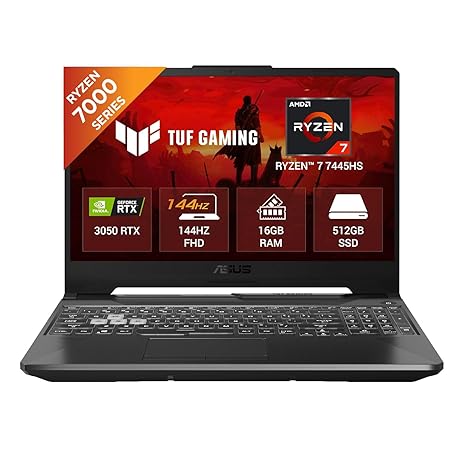
This is the most affordable genuine gaming laptop in this roundup, pairing a capable Ryzen 7 7445HS processor with an RTX 3050 – enough dedicated GPU power for esports titles and older AAA games at 1080p, without stretching to the price of the higher GPU tiers above it. TUF’s durable, military-grade-tested build gives real confidence for a daily-use laptop that also games.
For anyone stepping into PC gaming for the first time on a tighter budget, this is the sensible entry point rather than compromising with an integrated-graphics laptop that can’t game at all.
Best for: Budget-conscious gamers wanting a genuine entry point into dedicated GPU gaming.
- 👍 Lowest price point among genuine gaming configurations in this roundup
- 👍 RTX 3050 handles esports titles and older AAA games at 1080p
- 👍 TUF’s durable, tested build quality for daily use beyond gaming
- 👍 RGB keyboard adds a genuine gaming aesthetic
- 👍 Ryzen 7 processor handles general multitasking well beyond gaming
- 👎 RTX 3050 struggles with newer, more demanding AAA titles at higher settings
- 👎 512GB storage fills up quickly with modern game install sizes
- 👎 Lower refresh rate display than the pricier configurations here
- 👎 Smaller accumulated review base than some competing models
ASUS TUF A15 (RTX 3050, 1TB, 144Hz) – the better-equipped TUF configuration
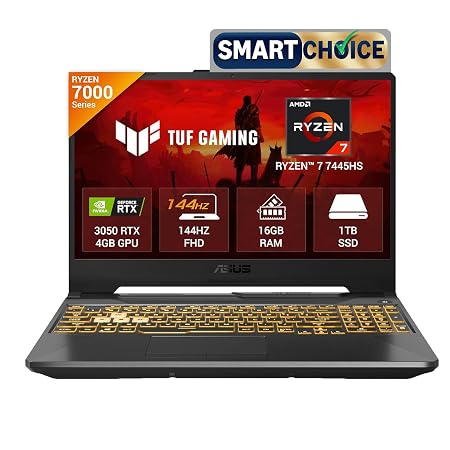
Same Ryzen 7 and RTX 3050 combination as the base TUF A15 configuration, but doubling the storage to 1TB and adding a 144Hz display – a genuinely smoother visual experience for esports titles where the RTX 3050 can actually push enough frames to make the higher refresh rate worthwhile.
The storage bump alone is worth considering given how quickly modern game libraries fill a 512GB drive, making this the more comfortable long-term choice within the same GPU tier and price bracket.
Best for: Buyers who want the same entry GPU tier but with more storage and a smoother display.
- 👍 1TB storage meaningfully more comfortable for a growing game library
- 👍 144Hz display genuinely useful for esports titles this GPU tier can run well
- 👍 Same capable Ryzen 7 processor as the base configuration
- 👍 16GB RAM confirmed for smooth multitasking alongside gaming
- 👍 Similar price bracket to the base TUF A15 configuration
- 👎 Very small accumulated review base so far
- 👎 Same RTX 3050 GPU ceiling as the base configuration for demanding titles
- 👎 144Hz display is wasted on games where this GPU can’t hit high frame rates
- 👎 Not a meaningfully different gaming experience from the base TUF configuration
ASUS Gaming V16 (RTX 4050) – the mid-range step up
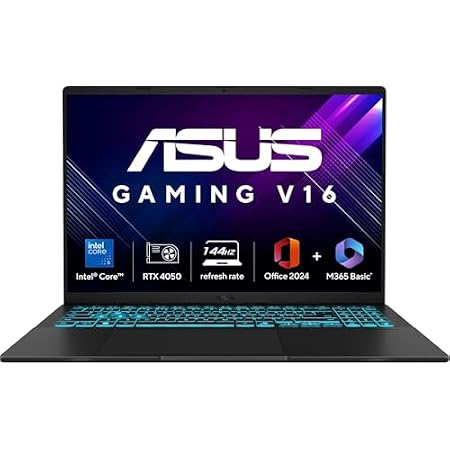
The RTX 4050 here represents a real generational and tier jump over the RTX 3050 models below it, handling newer, more demanding titles noticeably more smoothly at 1080p and even reasonably at higher settings. The Intel Core 5 210H processor pairs well with this GPU tier for a balanced mid-range gaming laptop.
Sitting outside ASUS’s ROG branding keeps the price more moderate while still delivering a genuinely more capable gaming experience than the TUF A15’s entry GPU tier.
Best for: Gamers wanting a genuine step up in GPU power without moving into ROG Strix pricing.
- 👍 RTX 4050 handles modern demanding titles noticeably better than RTX 3050
- 👍 144Hz display well-matched to this GPU tier’s frame rate capability
- 👍 More moderate price than ROG Strix models with comparable GPU power
- 👍 16GB RAM and 512GB SSD cover typical gaming and multitasking needs
- 👍 Intel Core 5 210H is a solid, efficient processor pairing
- 👎 Lower owner rating than the ASUS models on either side of it in this roundup
- 👎 Smaller accumulated review base being a newer model
- 👎 512GB storage may need supplementing for a large game library
- 👎 Not part of ASUS’s premium ROG cooling and build reputation
ASUS ROG Strix G16 (RTX 5050) – the premium mid-tier pick
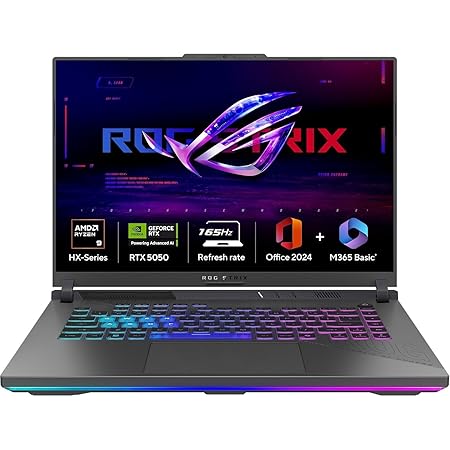
Stepping into ROG Strix brings ASUS’s more sophisticated cooling system, better suited to sustaining peak performance through long gaming sessions than the TUF or V16 models below it. The Ryzen 9 8940HX processor paired with an RTX 5050 with 8GB VRAM handles current-generation demanding titles well at the 16-inch FHD+ resolution.
The 1TB SSD gives comfortable room for a growing game library, and this configuration represents the point in ASUS’s range where both build quality and GPU power meaningfully step up together.
Best for: Gamers wanting ROG’s premium cooling and build quality with a current-generation GPU.
- 👍 ROG’s more sophisticated cooling sustains performance in long sessions
- 👍 RTX 5050 with 8GB VRAM handles current-generation demanding titles well
- 👍 1TB storage comfortable for a large, growing game library
- 👍 Powerful Ryzen 9 8940HX processor
- 👍 Includes bundled Microsoft 365 and Office subscriptions
- 👎 Meaningfully pricier than the TUF and V16 configurations below it
- 👎 Very small accumulated review base so far
- 👎 FHD+ resolution rather than the sharper QHD+ found on the higher ROG Strix tier
- 👎 Heavier and larger than the more compact TUF A15 models
ASUS ROG Strix G16 (RTX 5060, QHD+, 240Hz) – the high-refresh performance pick
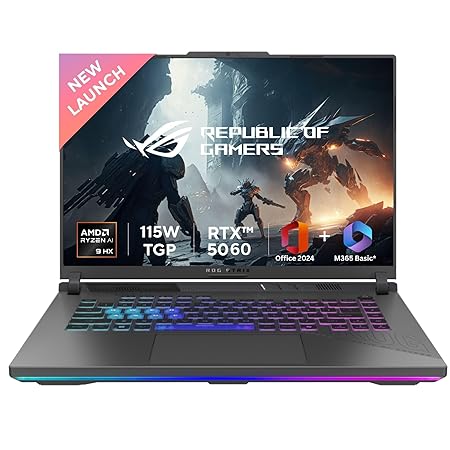
This carries the highest owner rating among the ROG Strix G16 configurations in this roundup, pairing the stronger RTX 5060 GPU with a sharper 2.5K QHD+ display and a genuinely useful 240Hz refresh rate – a combination where the GPU tier can actually push enough frames to make that high refresh rate worthwhile, unlike pairing a weak GPU with an oversized refresh rate spec.
The same 115W TGP rating on this RTX 5060 configuration also reflects a higher sustained power draw than the RTX 5050 model, translating to genuinely stronger real-world gaming performance rather than just a spec-sheet upgrade.
Best for: Serious gamers who want both a sharper QHD+ display and a genuinely high refresh rate to match a stronger GPU.
- 👍 Highest owner rating among the ROG Strix configurations in this roundup
- 👍 RTX 5060 with higher 115W TGP delivers genuinely stronger sustained performance
- 👍 Sharper 2.5K QHD+ display well-matched to this GPU’s capability
- 👍 240Hz refresh rate genuinely useful given this GPU tier’s frame rate output
- 👍 Large 90WHrs battery for a gaming laptop of this power class
- 👎 Higher price than the RTX 5050 ROG Strix configuration
- 👎 Still a large, heavy laptop not suited to frequent portability
- 👎 Small accumulated review base so far
- 👎 Overkill for buyers who mainly play esports titles rather than demanding AAA games
ASUS ROG Strix SCAR 18 (RTX 5090) – the absolute flagship
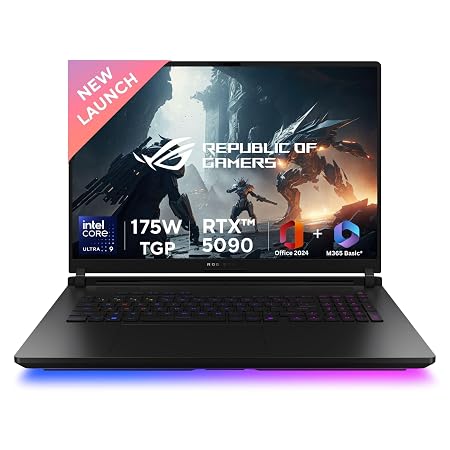
This sits in an entirely different class from every other laptop in this roundup – an RTX 5090 with a massive 24GB of VRAM, 64GB of RAM, and a 2TB SSD, built for gamers and content creators who need genuinely top-tier performance for the most demanding current and near-future titles at maximum settings. The 18-inch QHD+ 240Hz display gives both the size and refresh rate to match this GPU’s output.
It carries the highest owner rating in this entire roundup, reflecting strong satisfaction among the buyers willing to pay the significant price premium for genuinely uncompromised performance.
Best for: Buyers who want the absolute maximum gaming and creator performance ASUS offers, regardless of price.
- 👍 Highest owner rating of any laptop in this roundup
- 👍 RTX 5090 with 24GB VRAM is genuinely top-tier, future-proof gaming performance
- 👍 Massive 64GB RAM and 2TB SSD suit heavy multitasking and large game libraries
- 👍 18-inch QHD+ 240Hz display matched to this GPU’s capability
- 👍 Intel Core Ultra 9 275HX is among the most powerful mobile processors available
- 👎 By far the highest price in this roundup
- 👎 Large 18-inch, 3.3kg body sacrifices all portability
- 👎 Significant overkill for casual or esports-only gamers
- 👎 Small accumulated review base given its premium, niche price point
Frequently Asked Questions
Which ASUS gaming laptop should most buyers choose?
The ASUS ROG Strix G16 (RTX 5060, QHD+, 240Hz) offers the best balance of strong current-generation performance and value, while the ASUS TUF A15 (RTX 3050) is the sensible entry point on a tighter budget.
What’s the real difference between ASUS TUF and ROG Strix gaming laptops?
ROG Strix models like the ROG Strix G16 generally have more sophisticated cooling systems that sustain performance longer in extended sessions, and typically pair with higher GPU tiers, while TUF models like the TUF A15 prioritize durability and value at entry-level GPU tiers.
Is a 240Hz display worth it on a gaming laptop?
Only if the GPU tier can actually push enough frames to use it – it’s genuinely useful on the ROG Strix G16 (RTX 5060) and ROG Strix SCAR 18, but would be largely wasted on the entry-tier TUF A15 (RTX 3050).
Is the ASUS ROG Strix SCAR 18 worth its very high price?
Only if you specifically need top-tier, near-future-proof performance for the most demanding games or creator workloads – for typical gaming needs, the ROG Strix G16 (RTX 5060) delivers strong performance at a much lower price.
Should I buy the RTX 3050 or RTX 4050 configuration if I’m on a budget?
The ASUS Gaming V16 (RTX 4050) handles modern demanding titles noticeably better than the TUF A15’s RTX 3050, so it’s worth the price step up if you play newer AAA games regularly.
How much storage do I actually need on a gaming laptop?
1TB is genuinely more comfortable than 512GB given modern game install sizes – most of the higher-tier laptops in this roundup, including both ROG Strix G16 configurations, include 1TB as standard.
The bottom line
For most gamers, the ASUS ROG Strix G16 (RTX 5060, QHD+, 240Hz) is the best overall balance of performance, display quality and price, with the RTX 5050 variant a solid step-down if budget is tighter. On an entry budget, the ASUS TUF A15 (RTX 3050) – in either storage configuration – is the sensible starting point, and the ASUS Gaming V16 (RTX 4050) is a worthwhile mid-range step up. For buyers who want the absolute maximum performance regardless of price, the ASUS ROG Strix SCAR 18 (RTX 5090) is in a class of its own.
As an Amazon Associate we earn from qualifying purchases — at no extra cost to you. We don’t print prices or ratings here because they change daily; tap through to Amazon for the current price and latest reviews.
![Samsung Galaxy Tab A11+ [Smartchoice], 27.82 cm (11 inch) Display, 6 GB RAM, 128 GB Storage, 90Hz Refresh Rate, Wi-Fi Ta](https://india.prodhut.com/wp-content/uploads/2026/07/B0G1BS9S4Q.jpg)