Best Printers in India: Ink Tank to Portable Bluetooth Compared
Printer buying decisions are really running-cost decisions in disguise — the printer itself is often the cheap part, and ink is where the real long-term cost hides. This roundup covers that spectrum honestly: a premium ink tank all-in-one built specifically for low running costs, two budget cartridge-based Canon printers, and a genuinely different portable Bluetooth option for occasional, on-the-go printing.
Ink tank vs. cartridge is the single biggest decision here, and it’s covered properly in the buying guide below rather than glossed over — it changes your cost per page dramatically over the printer’s life.
All of these handle WiFi printing except the portable option, which uses Bluetooth specifically for its on-the-go use case.
How to pick the right printer
Four things that matter more than the printer’s upfront price.
- Ink tank printers cost more upfront but dramatically less per page over time. An ink tank system, like the HP here, refills from bottles rather than replacing cartridges — the cost per printed page drops sharply compared to cartridge-based printers, which matters a lot if you print regularly.
- Cartridge printers make sense for genuinely light, occasional printing. If you print rarely, the lower upfront cost of a cartridge printer like the Canon options here can work out fine — cartridges only become expensive if you’re printing often.
- All-in-one (print, scan, copy) covers more use cases than a print-only device. Worth checking specifically if you’ll ever need to scan documents or make copies, since a print-only printer can’t do either.
- A portable Bluetooth printer solves a genuinely different problem — printing away from a WiFi network or desk setup entirely, not replacing your main printer.
The best printers you can buy right now
Canon PIXMA MG2577s — the budget all-in-one pick
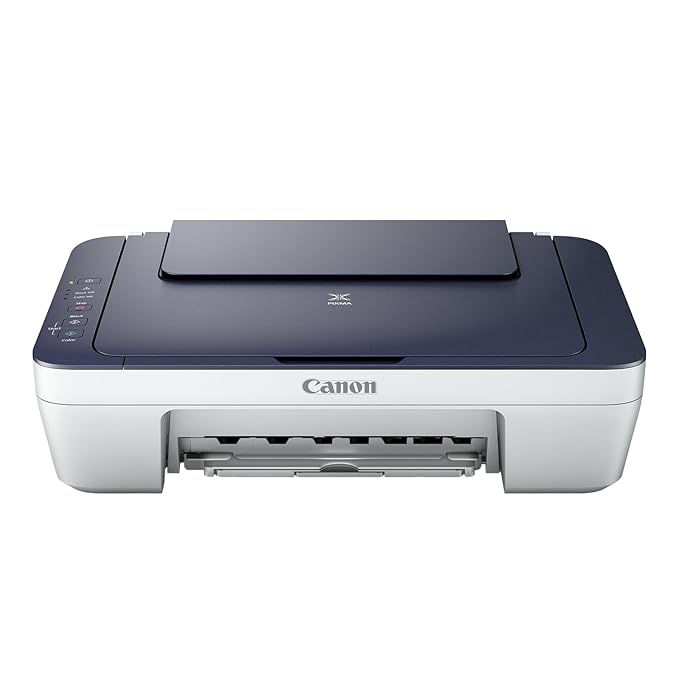
This is the entry point into home printing — genuine print, scan and copy functionality at the lowest price in this roundup. For a household that prints occasionally rather than daily, the low upfront cost outweighs the higher per-page cartridge cost you’d pay with heavier use.
Canon’s reliability in this budget segment is well established, making it a safe first printer for light, infrequent use — school documents, forms, the occasional photo.
Best for: Light, occasional home printing where upfront cost matters most.
- 👍 Most affordable option in this roundup
- 👍 Genuine all-in-one — print, scan and copy
- 👍 Trusted Canon reliability in the budget segment
- 👍 Good fit for light, occasional printing
- 👎 Cartridge-based, so cost per page rises with heavier use
- 👎 No WiFi mentioned — check connection needs before buying
- 👎 Not suited to high-volume regular printing
Canon PIXMA E470 — the WiFi-enabled step-up
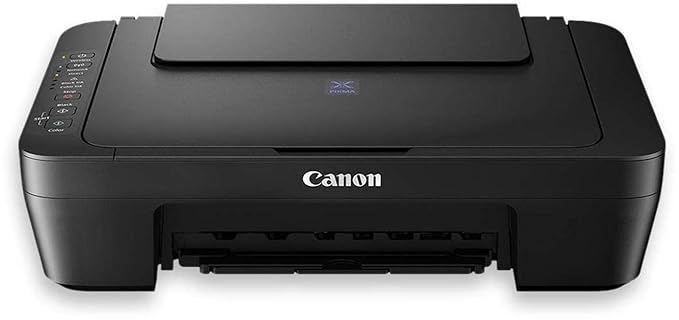
This adds WiFi connectivity over the basic MG2577s, letting you print directly from a phone or laptop without a USB cable — a genuine convenience upgrade for a household with multiple devices needing to print occasionally.
It stays cartridge-based, so it’s still best suited to moderate rather than heavy printing, but the wireless flexibility is a real quality-of-life improvement over a cable-tethered printer.
Best for: Households wanting wireless printing convenience without jumping to an ink tank system.
- 👍 WiFi printing adds genuine convenience over cable-only options
- 👍 Still an affordable, accessible price point
- 👍 Full all-in-one functionality
- 👍 Trusted Canon reliability
- 👎 Still cartridge-based — costs more per page than an ink tank system with heavy use
- 👎 Priced above the most basic Canon option
- 👎 Not built for high-volume printing
HP Smart Tank 589 — the low-running-cost pick
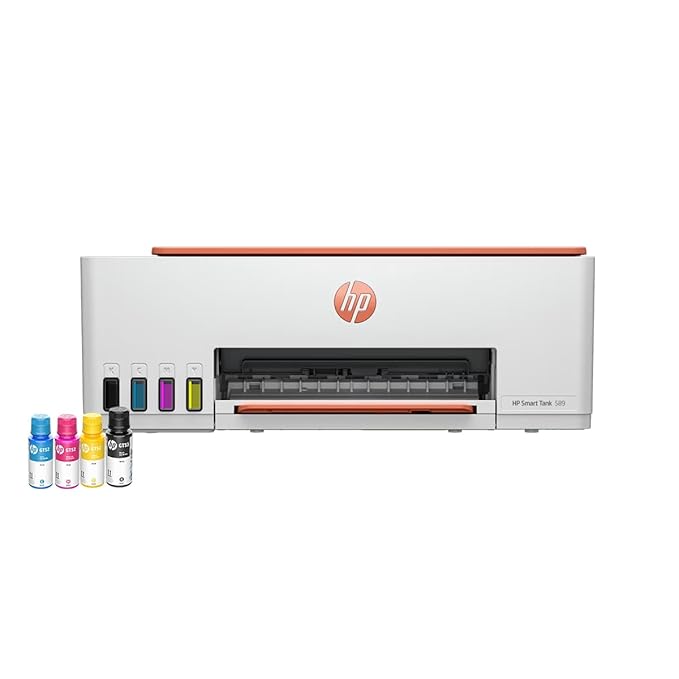
This is where the real savings live if you print often — an ink tank system refills from bottles rather than swapping cartridges, dropping the cost per page dramatically compared to the Canon cartridge printers above. The higher upfront price pays for itself over months of regular printing.
WiFi and full all-in-one functionality round it out, making it a genuinely strong choice for anyone who’s tired of cartridge costs adding up and wants a printer built for sustained regular use rather than occasional documents.
Best for: Households or small home offices that print regularly and want the lowest long-term cost per page.
- 👍 Ink tank system dramatically lowers cost per page over time
- 👍 WiFi and full all-in-one functionality
- 👍 Well suited to regular, sustained printing needs
- 👍 Trusted HP reliability and support
- 👎 Highest upfront price in this roundup
- 👎 Overkill for genuinely light, occasional printing
- 👎 Ink tank refills need to be sourced when they run low
SEZNIK Portable A4 Bluetooth Printer — the on-the-go option
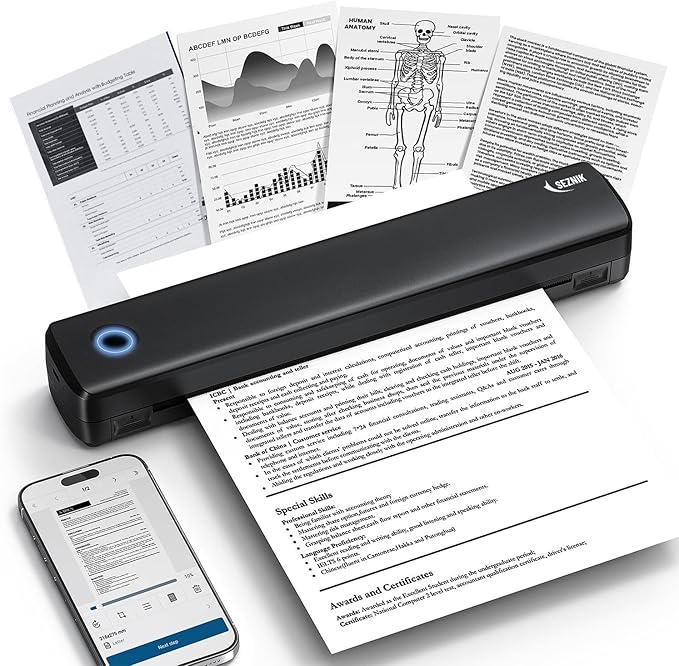
This solves a completely different problem than the three printers above — genuine portability, with Bluetooth connectivity and inkless thermal printing meaning no cartridges or ink tanks to manage at all, just compatible thermal paper.
It’s not meant to replace a home printer for regular document printing — think of it as the printer for situations where a desk-bound WiFi printer simply isn’t an option, like fieldwork, pop-up stalls, or travel.
Best for: Printing away from a desk or WiFi network entirely — travel, fieldwork, or pop-up setups.
- 👍 Genuinely portable — no desk or WiFi network needed
- 👍 Inkless thermal printing means no cartridges or ink tanks
- 👍 Bluetooth connects directly to a phone
- 👍 Solves a use case none of the other printers can
- 👎 Not a substitute for a full home printer’s document quality and volume
- 👎 Needs specific thermal paper, an ongoing cost of its own
- 👎 Print quality and permanence differ from standard inkjet output
Frequently Asked Questions
Is an ink tank printer worth the higher upfront cost?
Yes, if you print regularly — the HP Smart Tank 589‘s ink tank system costs meaningfully less per page than cartridge-based printers like the Canon PIXMA models here. The higher upfront price pays for itself over months of consistent use.
Which printer is best for occasional, light printing?
The Canon PIXMA MG2577s is the most affordable option here and suits light, infrequent printing well — its cartridge-based running cost only becomes a downside with heavier regular use.
Do I need WiFi on a printer?
It’s a genuine convenience if multiple devices need to print without a cable — the Canon PIXMA E470 and HP Smart Tank 589 both offer it. If only one computer will ever print and it’s near the printer, a WiFi-free option like the basic Canon MG2577s works fine.
What is a portable Bluetooth printer actually useful for?
Situations where a desk-bound printer isn’t practical — travel, fieldwork, or pop-up setups. The SEZNIK here uses inkless thermal printing and Bluetooth, but it’s not meant to replace a proper home printer for regular document needs.
How much does printer ink actually cost over time?
It varies widely, but cartridge-based printers like the Canon PIXMA models typically cost significantly more per page than ink tank systems like the HP Smart Tank 589 — the gap widens the more you print, which is exactly why ink tank printers exist for regular users.
Can all these printers scan and copy, not just print?
The Canon PIXMA models and the HP Smart Tank 589 are all genuine all-in-one printers with scan and copy functionality. The SEZNIK portable printer is print-only, given its compact, on-the-go design.
The bottom line
For light, occasional printing on a budget, the Canon PIXMA MG2577s is the sensible entry point. If WiFi convenience matters, step up to the Canon PIXMA E470. For regular, sustained printing where running costs matter most, the HP Smart Tank 589‘s ink tank system is the smarter long-term investment. And for printing genuinely on the move, the SEZNIK portable Bluetooth printer fills a gap none of the others can.
As an Amazon Associate we earn from qualifying purchases — at no extra cost to you. We don’t print prices or ratings here because they change daily; tap through to Amazon for the current price and latest reviews.