Best Monitors in India: Budget HD to Full HD IPS Compared
A monitor upgrade is one of the cheapest ways to noticeably improve a work-from-home setup or a budget PC build, and the gap between a basic HD panel and a proper Full HD IPS display is bigger than the price difference suggests. This roundup covers four genuinely different options — two compact budget monitors and two larger Full HD panels at different refresh rates.
Panel type (IPS vs standard LED) and resolution matter more than screen size alone here, which is what the buying guide below actually focuses on. None of these are gaming-specialist monitors with high refresh rates for competitive play — they’re solid, practical everyday displays for work, browsing and general use.
Setup is genuinely plug-and-play for all four — connect the cable, power on, and you’re done.
How to pick the right monitor
Four things worth checking before buying based on size alone.
- IPS panels have noticeably better colour accuracy and viewing angles than standard LED panels. If you do any photo work, design, or just want colours to look right from an angle, an IPS panel like the Acer here is worth the difference.
- Resolution matters more than screen size for text sharpness. A Full HD (1920×1080) panel at a smaller size can look sharper than an HD panel at a larger size — don’t assume bigger automatically means better for everyday text and browsing.
- Refresh rate above the standard 60Hz genuinely smooths out everyday scrolling and video, not just gaming. A 100Hz panel like the FRONTECH here feels noticeably smoother for general use, not only for games.
- Check port compatibility with your PC or laptop before buying. HDMI is near-universal now, but confirm your device has a matching output before assuming any monitor will just work.
The best monitors you can buy right now
ZEBRONICS Zeb-V19HD — the compact budget pick
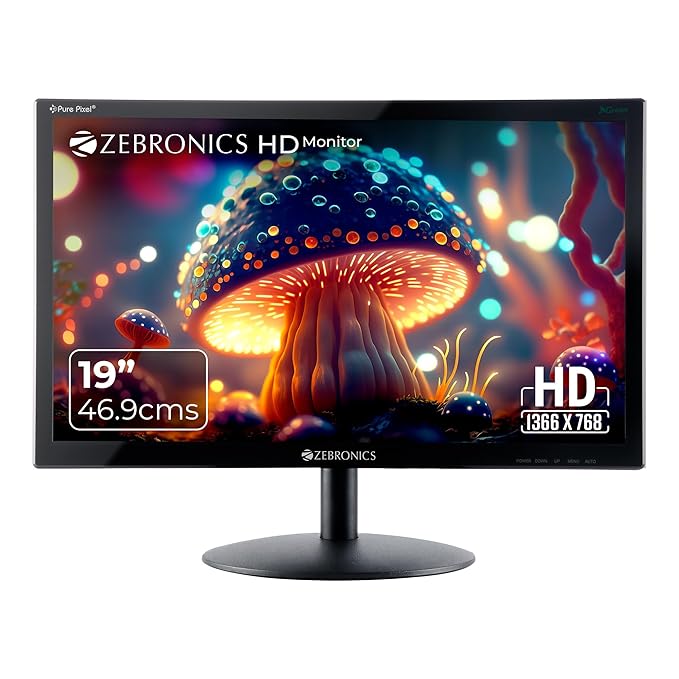
This is the smallest and most affordable monitor in this list, aimed squarely at basic use — browsing, documents, or as a second screen for reference material while working on your main display. Its compact 18.5-inch size suits a genuinely tight desk.
It won’t wow anyone on colour accuracy or viewing angles, but for straightforward everyday computing on a budget, it does the job without complication.
Best for: Tight desk spaces or a second monitor for basic multitasking.
- 👍 Most affordable option in this roundup
- 👍 Compact size suits small desks
- 👍 Simple, no-fuss setup
- 👍 Good as a basic second monitor
- 👎 Standard LED panel, not IPS — weaker viewing angles and colour accuracy
- 👎 HD resolution, not Full HD, so text is less sharp than the pricier options
- 👎 Not suited to detailed visual work like photo editing
FRONTECH 20-Inch HD — the slightly larger budget pick
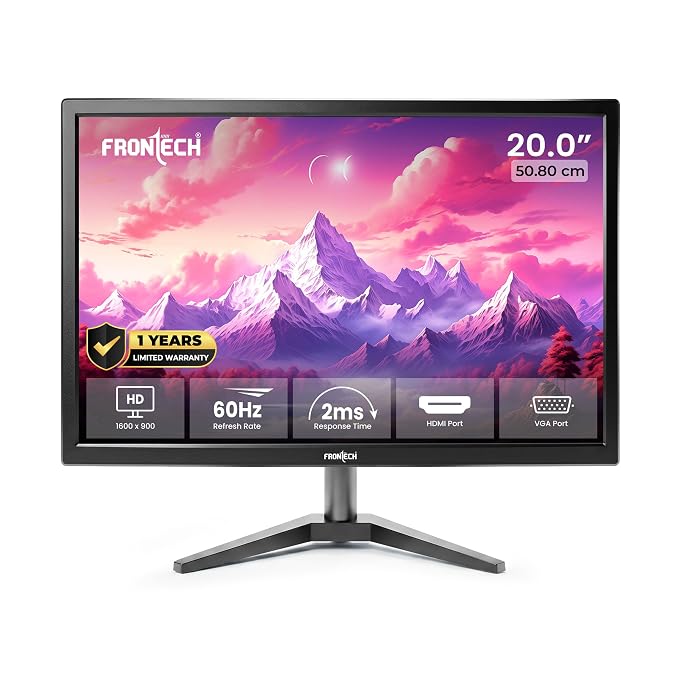
This sits just above the ZEBRONICS in size at 20 inches with a 1600×900 resolution, giving slightly more visible workspace for documents and browsing without jumping to Full HD pricing.
It’s a sensible middle ground for anyone who wants a bit more screen than the smallest budget option but isn’t ready to pay for a full IPS Full HD panel.
Best for: A bit more screen real estate than the smallest budget option, still at an accessible price.
- 👍 More screen space than the smallest budget option
- 👍 Still very accessible pricing
- 👍 Straightforward setup and use
- 👍 Reasonable resolution step-up from basic HD
- 👎 Not Full HD resolution
- 👎 Standard 60Hz refresh rate, nothing special for smoothness
- 👎 Non-IPS panel limits viewing angles and colour accuracy
FRONTECH Full HD 100Hz — the smooth-scrolling pick
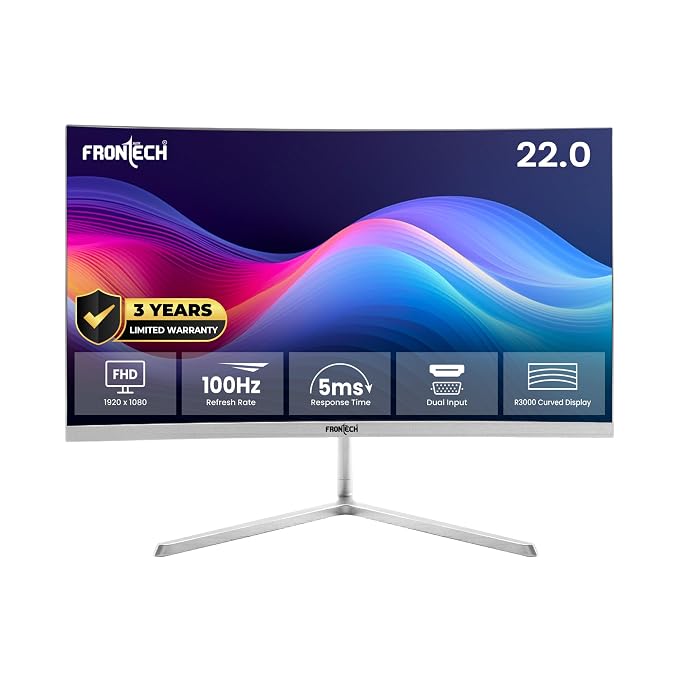
The 100Hz refresh rate here is the standout feature — nearly double the standard 60Hz, which makes everyday scrolling, cursor movement and video playback feel visibly smoother, not just games. Paired with genuine Full HD resolution, text and images look noticeably sharper than the smaller budget options.
It’s priced above the basic budget monitors but well below premium IPS options, making it a strong middle-ground pick for anyone upgrading a basic HD monitor.
Best for: Anyone wanting noticeably smoother everyday scrolling and video without a gaming-monitor price tag.
- 👍 100Hz refresh rate noticeably smooths everyday use, not just gaming
- 👍 Full HD resolution for sharper text and images
- 👍 Good middle-ground pricing
- 👍 Bigger, more usable screen size than the entry monitors
- 👎 Not an IPS panel, so viewing angles and colour accuracy trail the Acer
- 👎 Costs more than the basic HD options here
- 👎 Overkill if you only need a small secondary display
Acer EK240Y — the IPS colour-accuracy pick
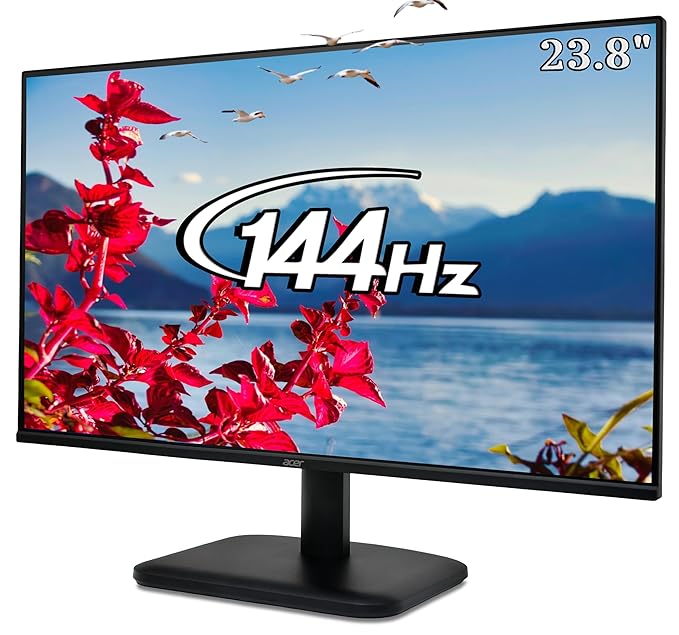
This is the only IPS panel in this roundup, and it shows in colour accuracy and viewing angles — genuinely useful if you’re doing any photo editing, design work, or simply want the screen to look right when viewed from an angle, not just dead-on.
At 23.8 inches with Full HD resolution, it’s also the largest, sharpest screen in this list, backed by Acer’s established reputation in displays. It’s priced at the premium end of this roundup, and the IPS panel and size are what you’re paying for.
Best for: Anyone doing photo work, design, or who just wants the best colour and viewing angles here.
- 👍 IPS panel gives noticeably better colour accuracy and viewing angles
- 👍 Largest, sharpest screen in this roundup at 23.8-inch Full HD
- 👍 Trusted Acer display reputation
- 👍 Best suited to any visually detailed work
- 👎 The most expensive option here
- 👎 Standard 60Hz refresh rate, not the 100Hz of the FRONTECH option
- 👎 Larger size needs more desk space than the compact budget monitors
Frequently Asked Questions
Is an IPS monitor worth the extra cost?
If you care about colour accuracy or viewing the screen from an angle — for photo editing, design work, or simply sharing a screen with someone beside you — the Acer EK240Y‘s IPS panel is worth it. For basic browsing and documents, a standard LED panel like the ZEBRONICS or FRONTECH budget options works fine.
Does a higher refresh rate matter outside of gaming?
Yes, genuinely — the FRONTECH 100Hz monitor here feels noticeably smoother for everyday scrolling, cursor movement and video, not just games. It’s a real quality-of-life upgrade over standard 60Hz panels.
What resolution should I get for everyday use?
Full HD (1920×1080), like the FRONTECH 100Hz and Acer EK240Y here, gives noticeably sharper text and images than HD resolution. Basic HD panels like the ZEBRONICS are fine for simple browsing but show their limits with detailed work.
What monitor size is best for a small desk?
The ZEBRONICS Zeb-V19HD at 18.5 inches is the most compact option here and suits genuinely tight desk spaces. If you have a bit more room, the 20-21.5 inch options give noticeably more usable screen space.
Can I use any of these monitors for light gaming?
The FRONTECH 100Hz monitor is the best fit here for smoother motion, even though it’s not a dedicated gaming panel. The other three, at standard 60Hz, will work for casual gaming but won’t deliver the smoothness serious gaming monitors offer.
Do I need a graphics card upgrade to use a Full HD monitor?
Generally no — most modern laptops and even integrated graphics on desktop PCs handle Full HD output for everyday use, browsing and office work without issue. A graphics card upgrade matters more for gaming or heavy video editing than for simply driving a Full HD display.
The bottom line
For the tightest budget and smallest desk, the ZEBRONICS Zeb-V19HD covers the basics. For a bit more screen at a similar price point, the FRONTECH 20-Inch is a fair step up. If smooth everyday scrolling matters to you, the FRONTECH 100Hz Full HD is the standout value pick. And for the best colour accuracy and viewing angles, the Acer EK240Y‘s IPS panel is worth the premium.
As an Amazon Associate we earn from qualifying purchases — at no extra cost to you. We don’t print prices or ratings here because they change daily; tap through to Amazon for the current price and latest reviews.