Best Gaming Gear in India: PS5 Accessories, VR & a Gaming Laptop
“Gaming gear” covers genuinely different purchases depending on what you already own and what problem you’re solving — remote play away from your TV, keeping a console cool during long sessions, stepping into VR, or an entirely PC-based gaming setup. This roundup covers all four, honestly, rather than forcing them into a false ranking against each other.
Each of these solves a specific, different need — none of them compete directly, so the right pick depends entirely on your existing setup and what you’re trying to add to it. The buying guide below walks through who each one is actually for.
None of these need complex setup — the PS5 accessories connect directly to an existing console, and the gaming laptop is ready to use out of the box.
How to pick the right gaming gear for your setup
Four questions to answer before picking gear based on hype alone.
- Do you already own a PS5? The Portal and docking station here are PS5-specific accessories — genuinely useful additions to an existing console, not standalone gaming devices.
- Are you looking to extend where you can play, or improve your existing console setup? A remote play device solves the TV-is-occupied problem; a docking station solves cooling and controller storage for the console itself.
- Is VR something you’ll use regularly, or a novelty you’ll try a few times? VR headsets are a genuine investment in a specific experience — be honest about how often you’ll actually use one before buying.
- Do you need a dedicated gaming laptop, or would a console serve you better? A gaming laptop offers portability and PC-exclusive titles, but at a significantly higher price than console gaming for similar performance tiers.
The best gaming gear you can buy right now
ZEBRONICS PS5 Vertical Docking Station — the console upgrade accessory
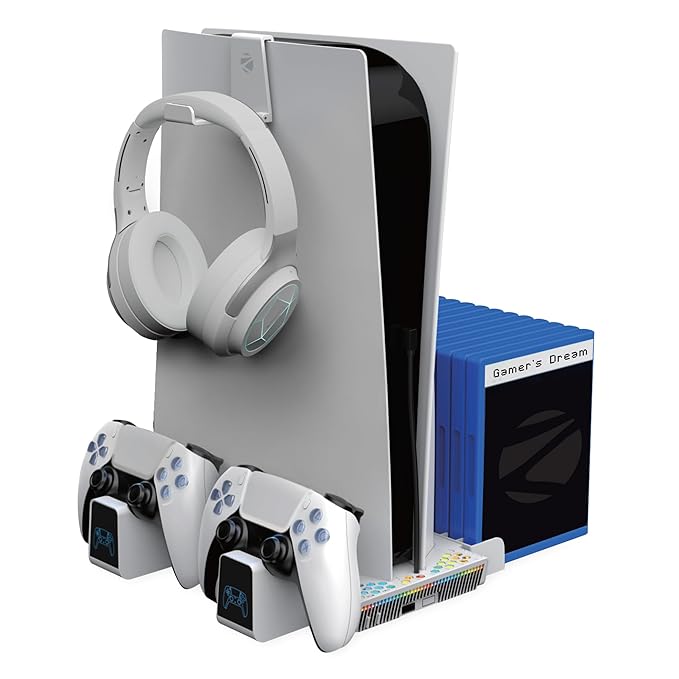
This solves a genuinely common PS5 owner frustration — heat buildup during long sessions and controllers cluttering the TV console. A 5000RPM cooling fan actively helps manage console temperature, while dual controller charging docks keep DualSense controllers charged and organised.
It’s an affordable accessory relative to the console itself, and for anyone who games for extended sessions regularly, the active cooling is a genuinely practical addition rather than a cosmetic one.
Best for: PS5 owners wanting better cooling, controller charging and a tidier console setup.
- 👍 Active cooling fan helps manage console temperature during long sessions
- 👍 Dual controller charging keeps DualSense controllers ready
- 👍 Vertical stand saves TV console space
- 👍 Affordable relative to the console itself
- 👎 Only useful if you already own a PS5
- 👎 Third-party accessory, not an official Sony product
- 👎 Fan noise, while helpful for cooling, adds some audible sound during use
Sony PlayStation Portal — the remote-play handheld
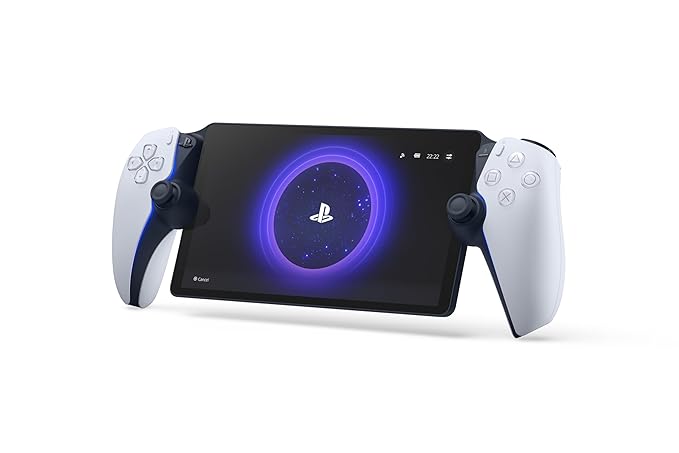
This solves the classic household problem of the TV being needed for something else while you want to keep gaming — the Portal streams your PS5’s gameplay to its own screen over WiFi, letting you keep playing from another room without touching the TV at all.
It genuinely needs your PS5 running and a stable home network to work well — this isn’t a standalone gaming device, but an extension of a console you already own.
Best for: PS5 owners wanting to keep playing when the TV is occupied by someone else.
- 👍 Solves the shared-TV problem genuinely well
- 👍 Official Sony hardware with DualSense-style controls built in
- 👍 Lets you keep gaming from another room
- 👍 Straightforward setup with an existing PS5
- 👎 Requires an existing PS5 and stable WiFi to function at all
- 👎 Not a standalone gaming device on its own
- 👎 Performance depends on your home network quality
Sony PlayStation VR2 Horizon Bundle — the VR entry point
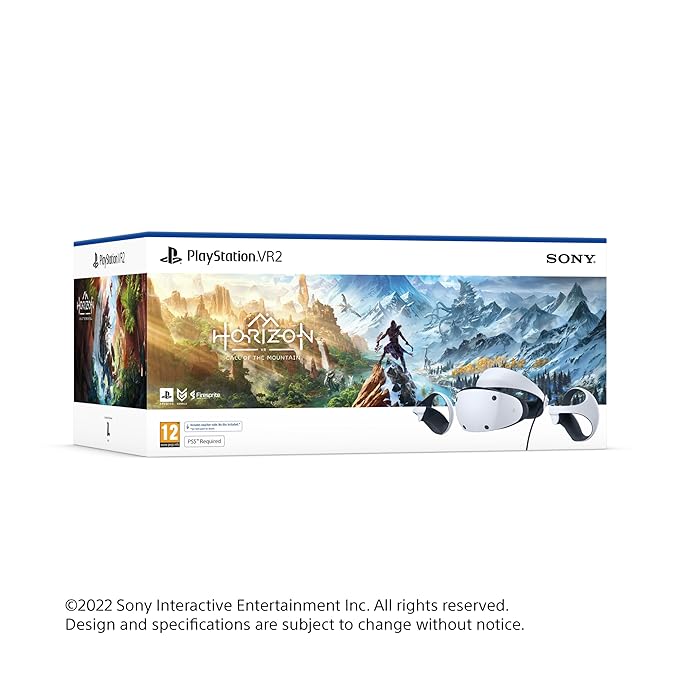
This is a real commitment to a specific gaming experience — full VR immersion with Sony’s PS VR2 headset, bundled with Horizon Call of the Mountain, one of the platform’s flagship showcase titles. It needs a PS5 to run and physical space to move around in.
VR is genuinely divisive — some people find it transformative, others try it a handful of times and set it aside. Be honest with yourself about which camp you’re likely in before committing to this price point.
Best for: PS5 owners genuinely curious about VR gaming, bundled with a flagship launch title.
- 👍 Includes a flagship showcase title in the bundle
- 👍 Genuine full VR immersion, not a lesser mobile VR experience
- 👍 Works specifically and tightly with the PS5 ecosystem
- 👍 Strong technical capability for a console VR headset
- 👎 The most expensive option in this roundup
- 👎 Requires an existing PS5 to function at all
- 👎 VR usage often drops off after the initial novelty for some users
HP Smartchoice Victus — the dedicated gaming laptop
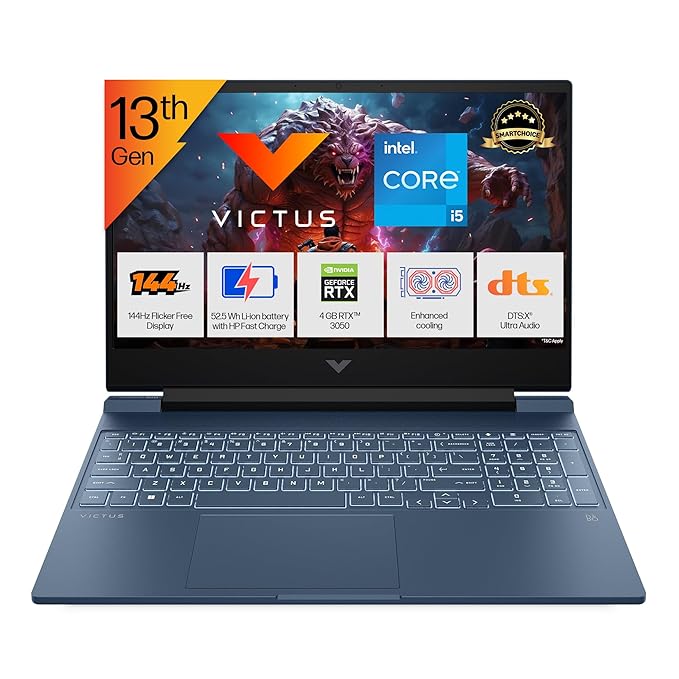
This is a completely different path into gaming than the three PS5-focused products above — a proper gaming laptop with a 13th Gen Intel Core i5 processor, dedicated RTX 3050 graphics, and upgradeable 16GB RAM, capable of running current PC titles at solid settings.
It’s the most expensive item in this roundup, reflecting genuine dedicated gaming hardware rather than an accessory — worth it specifically if PC-exclusive titles, portability, or non-console gaming matters to you, not as an upgrade path from PS5 gear.
Best for: Anyone wanting a portable, PC-based gaming setup rather than console gaming.
- 👍 Dedicated RTX 3050 graphics for genuine PC gaming performance
- 👍 13th Gen Intel Core i5 processor handles modern titles well
- 👍 Upgradeable RAM extends the laptop’s useful life
- 👍 Portable — takes your gaming setup anywhere
- 👎 The most expensive item in this roundup by a wide margin
- 👎 Laptop gaming performance and battery life trail a similarly-priced desktop
- 👎 Not relevant if you’re specifically invested in the PS5 ecosystem
Frequently Asked Questions
Do I need a PS5 to use the Portal, docking station or VR2 headset?
Yes — the PlayStation Portal, ZEBRONICS docking station and PlayStation VR2 all require an existing PS5 console to function. None of them work as standalone gaming devices.
Is the PlayStation Portal worth it if I only have one TV?
Genuinely useful in that exact situation — the Portal lets you keep playing your PS5 from another room while someone else uses the TV, streaming gameplay over your home WiFi to its own screen.
Is PS VR2 worth the investment?
It depends on how much you value VR specifically — the PlayStation VR2 Horizon bundle delivers genuine immersion and includes a flagship title, but VR usage tends to drop off after the initial novelty for some users. Try VR elsewhere first if you’re unsure before committing to this price.
Should I get a gaming laptop or a PS5 for gaming?
It depends on what you want to play and whether portability matters — a gaming laptop like the HP Victus gives access to PC-exclusive titles and portability but costs significantly more than console gaming for similar performance. A PS5 with accessories like the ones here is generally more cost-effective for console-focused gaming.
Does the ZEBRONICS docking station void my PS5 warranty?
Third-party accessories like the ZEBRONICS docking station generally don’t void Sony’s console warranty on their own, since they don’t modify the console itself — but always check current Sony warranty terms specifically if you’re concerned.
Can a gaming laptop’s RAM really be upgraded later?
Yes, on models like the HP Victus that specifically advertise upgradeable RAM — this extends the laptop’s useful life as game requirements grow, though the graphics card and processor typically cannot be upgraded separately from the whole unit.
The bottom line
If you already own a PS5, the ZEBRONICS docking station is a cheap, genuinely useful upgrade for cooling and controller charging, and the PlayStation Portal solves the shared-TV problem well. The PlayStation VR2 bundle is worth it only if you’re genuinely committed to trying VR. And if you want a portable, PC-based gaming setup instead of console gaming entirely, the HP Victus is a solid dedicated gaming laptop.
As an Amazon Associate we earn from qualifying purchases — at no extra cost to you. We don’t print prices or ratings here because they change daily; tap through to Amazon for the current price and latest reviews.