Best Budget Laptops in India: PrimeOS to Windows Compared
Budget laptop shopping has a real trap most people don’t see coming — the operating system. Below a certain price, a lot of “laptops” run Android-based systems like PrimeOS rather than full Windows, which is fine for browsing, streaming and light work but genuinely limiting if you need specific Windows-only software. This roundup covers two Primebook models running PrimeOS, plus a proper Windows laptop from Lenovo at a slightly higher price.
Knowing which OS you actually need is the single most important decision here, covered honestly in the buying guide below before you compare specs like RAM and storage.
All three handle browsing, streaming, documents and video calls comfortably — the real differences show up in software compatibility and long-term flexibility, not everyday basics.
How to pick a budget laptop without regretting it
Three questions to answer before comparing specs.
- Do you need full Windows software, or will Android-based apps cover your needs? PrimeOS laptops like the Primebook models here run Android apps and handle browsing, streaming, documents and video calls well, but can’t run traditional Windows-only desktop software. If you need specific Windows programs for work or study, you need a genuine Windows laptop like the Lenovo here.
- RAM matters more than storage for everyday smoothness at this price tier. 8GB, which all three here have, comfortably handles multitasking between browser tabs, documents and video calls without slowdown.
- Battery life claims should be weighed against your actual daily use. Longer advertised battery life, like the Primebook models’ 12-14 hours, is genuinely useful if you’re away from a charger for long stretches — less critical if you mostly use a laptop at a desk near a socket.
The best budget laptops you can buy right now
Primebook 2 Pro — the compact PrimeOS option
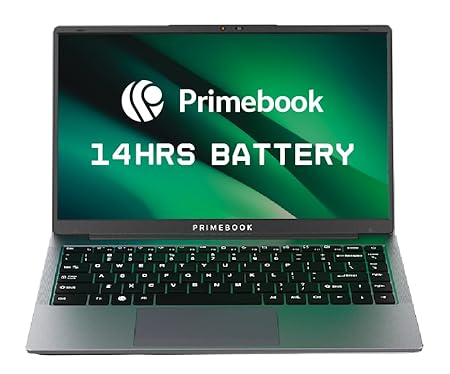
This runs PrimeOS, an Android-based system built specifically for laptop use, giving access to a wide range of Android apps alongside standard browsing and document work. At 14.1 inches with a Full HD IPS display, it’s a compact, easy-to-carry option with a genuinely long 14-hour battery claim.
Its strong review base for a newer laptop brand suggests real satisfaction at this price point, particularly for buyers who’ve confirmed PrimeOS covers what they actually need before buying.
Best for: Students or light users who mainly need browsing, apps and documents, not Windows-specific software.
- 👍 Compact 14.1-inch size, easy to carry daily
- 👍 Long 14-hour battery claim
- 👍 Full HD IPS display at a budget price
- 👍 Backlit keyboard, a nice touch at this price tier
- 👎 PrimeOS can’t run traditional Windows-only desktop software
- 👎 Newer brand with a shorter track record than established laptop makers
- 👎 128GB storage is modest — check your actual storage needs first
Primebook 2 Max — the larger-screen, larger-storage step-up
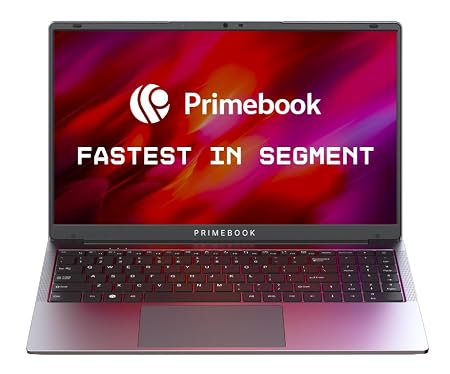
This is the Pro model’s bigger sibling — a larger 15.6-inch Full HD display and double the storage at 256GB, still running the same PrimeOS platform with Android app access. The bigger screen genuinely helps for extended browsing, video, or document work compared to the more compact Pro.
Same core trade-off as the Pro applies here: genuinely capable for everyday tasks and Android apps, but not a substitute for Windows if your work specifically needs it.
Best for: Anyone wanting a bigger screen and double the storage of the Pro model, same PrimeOS platform.
- 👍 Larger 15.6-inch Full HD display
- 👍 256GB storage, double the Pro model
- 👍 Same PrimeOS Android app access as the Pro
- 👍 Backlit keyboard included
- 👎 Costs more than the smaller Pro model
- 👎 Same PrimeOS limitation for Windows-only software
- 👎 Slightly shorter battery claim than the Pro at 12 hours
Lenovo V15 G4 — the genuine Windows alternative
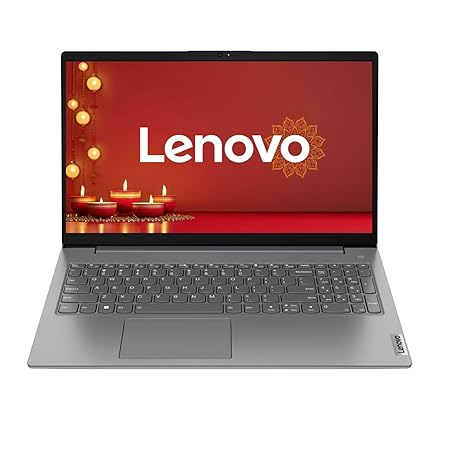
This is the pick if you need genuine Windows software — running Windows 11 with lifetime validity, an AMD Athlon Silver processor, 8GB RAM and a substantial 512GB SSD. It’s priced above the two Primebook options, reflecting the jump from an Android-based system to full Windows with a well-established laptop brand.
Lenovo’s global laptop manufacturing reputation and 1-year brand warranty add real confidence for a device you’ll likely rely on daily for work, study, or software that specifically needs Windows.
Best for: Anyone who specifically needs full Windows software compatibility, not just browsing and apps.
- 👍 Genuine Windows 11 — runs any Windows-compatible software
- 👍 Larger 512GB SSD than either Primebook option
- 👍 Established Lenovo laptop manufacturing reputation
- 👍 1-year brand warranty for added confidence
- 👎 Priced above the two PrimeOS options here
- 👎 AMD Athlon Silver is an entry-level processor — fine for basics, not demanding tasks
- 👎 Larger and slightly heavier than the compact Primebook Pro
Frequently Asked Questions
What is PrimeOS, and is it the same as Windows?
No — PrimeOS, used on both Primebook models here, is an Android-based operating system built for laptop use. It handles browsing, Android apps, documents and video calls well, but cannot run traditional Windows-only desktop software. For that, you need a genuine Windows laptop like the Lenovo V15 G4.
Should I buy a PrimeOS or Windows laptop on a budget?
If you mainly need browsing, streaming, documents and Android apps, a Primebook covers that well at a lower price. If you specifically need Windows software — certain work programs, older desktop applications — you need a genuine Windows laptop like the Lenovo V15 G4, even at a higher price.
Is 8GB RAM enough for a budget laptop?
Yes, for everyday multitasking — browsing multiple tabs, documents, and video calls — 8GB, which all three laptops here have, is a comfortable baseline. Heavier tasks like video editing would need more.
Which Primebook should I choose: Pro or Max?
The Primebook 2 Pro is more compact and slightly cheaper with a 14.1-inch screen. The Primebook 2 Max steps up to a 15.6-inch screen and doubles the storage to 256GB, at a higher price — choose based on whether the bigger screen and storage matter enough to you.
Is the Lenovo V15 G4’s AMD Athlon processor good enough?
It’s an entry-level processor, fine for everyday tasks like browsing, documents, and light multitasking, but not built for demanding work like video editing or serious gaming. For a genuine Windows budget laptop covering the basics, it’s a reasonable trade-off for the price.
Can I install regular software on a Primebook later if I change my mind?
Not in the way you could on a Windows laptop — PrimeOS is fundamentally Android-based, so it’s built around Android apps rather than traditional installable desktop software. If there’s a real chance you’ll need Windows-specific programs, it’s better to start with a Windows laptop like the Lenovo rather than switch later.
The bottom line
If browsing, apps and everyday tasks cover your needs, the Primebook 2 Pro is the most affordable, compact choice, with the Primebook 2 Max worth the upgrade for a bigger screen and more storage. But if you specifically need Windows software compatibility, don’t compromise — the Lenovo V15 G4‘s genuine Windows 11 is worth the higher price over discovering a PrimeOS limitation later.
As an Amazon Associate we earn from qualifying purchases — at no extra cost to you. We don’t print prices or ratings here because they change daily; tap through to Amazon for the current price and latest reviews.