Best 27-Inch Monitor in India
27 inches has become a genuine sweet spot for monitors in India, but resolution and refresh rate vary hugely within that single screen size — FHD, QHD and 4K UHD panels all ship at 27 inches, along with flat and curved gaming variants and productivity-focused office monitors.
This roundup spans that full range at the same 27-inch size, so the choice comes down to resolution, refresh rate and use case rather than screen size alone.
How to Pick the Right 27-Inch Monitor
- FHD, QHD and 4K UHD are genuinely different resolutions at the same 27-inch size, not just marketing tiers. QHD and 4K pack more pixels into the same screen for sharper text and detail, at a real price premium over FHD.
- Gaming monitors prioritise high refresh rates and fast response times; office and coding monitors prioritise sharpness and eye comfort instead. Match the monitor type to your actual primary use, not just the specs that sound most impressive.
- Curved and flat panels are a genuine preference difference, not one being objectively better. A curved panel like LG’s 27GS60QC can feel more immersive for gaming; a flat panel suits general productivity and multi-window work better.
- Ultra-slim monitors save desk depth but aren’t a meaningful performance difference. Acer’s 7.2mm-thick design is a genuine space-saving feature, not a speed or quality upgrade.
- Eye-care certifications like HP’s Eye Safe matter more for long work sessions than for short gaming bursts. Worth prioritising if you spend most of your day at the screen rather than gaming occasionally.
6 27-Inch Monitors Across Every Use Case
Acer SA272 P1 Ultra-Slim FHD — Best Budget Overall
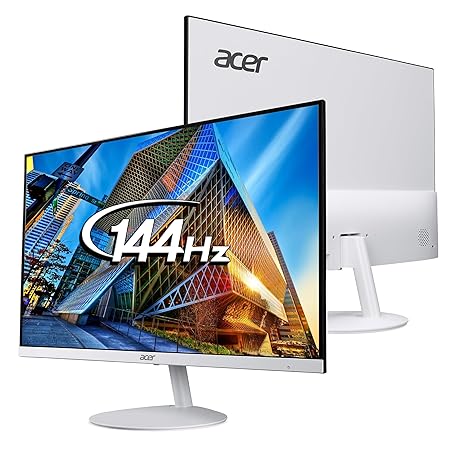
This has the strongest recent sales momentum of any monitor in this roundup at a genuinely accessible price point, with a strong rating reflecting real satisfaction. The 7.2mm ultra-slim design is a real space-saving feature for tighter desk setups.
At FHD resolution, it doesn’t match the sharpness of the QHD or 4K picks below — a reasonable trade-off for buyers prioritising price over pixel density.
Best for: buyers who want the most affordable genuinely well-reviewed 27-inch monitor
- 👍 Strongest recent sales momentum in this roundup
- 👍 Genuinely accessible price with a strong rating
- 👍 Ultra-slim 7.2mm design saves desk depth
- 👎 FHD resolution trails the QHD and 4K picks in sharpness
- 👎 Fewer gaming-specific features than the LG Ultragear picks
LG Ultragear 27GS65F FHD Gaming — Best Rated Gaming Pick
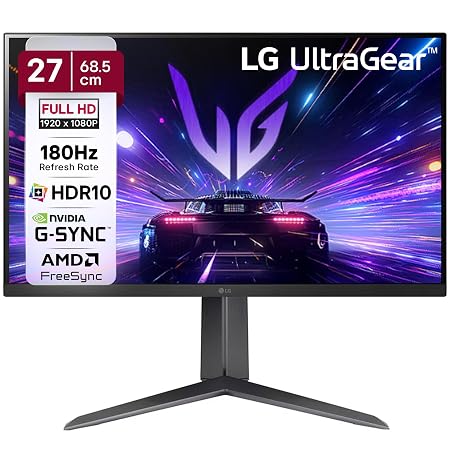
This carries a large review base and the highest rating tied with the Acer pick, reflecting genuine sustained trust in LG’s Ultragear gaming line at FHD resolution. It’s built specifically for gaming responsiveness rather than office productivity.
Staying at FHD rather than QHD keeps the price accessible but caps sharpness versus the curved QHD Ultragear model below.
Best for: gamers who want a genuinely well-reviewed FHD gaming monitor
- 👍 Large review base backing LG’s established Ultragear gaming line
- 👍 Highest rating tied with the Acer budget pick
- 👍 Built specifically for gaming responsiveness
- 👎 FHD resolution caps sharpness versus the QHD Ultragear model
- 👎 Gaming-focused design isn’t optimised for office productivity
LG Ultragear 27GS60QC Curved QHD Gaming — Best Immersive Gaming Pick
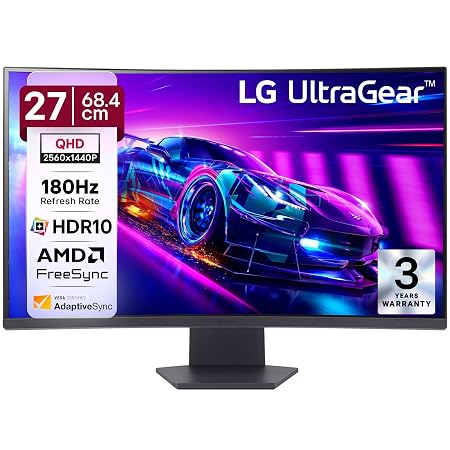
This steps up to QHD resolution with a genuine 1000R curve for a more immersive gaming feel than the flat FHD Ultragear above. Its solid rating and review base reflect real satisfaction with this curved, higher-resolution gaming tier.
The curve is a genuine preference, not an objective upgrade — some buyers prefer a flat panel for mixed gaming-and-productivity use.
Best for: gamers who want a genuinely more immersive curved QHD experience
- 👍 Genuine QHD resolution with a 1000R curve for immersion
- 👍 Solid rating and review base for this gaming tier
- 👍 Meaningful step up in sharpness from the FHD Ultragear model
- 👎 Curved design is a preference, not suited to everyone’s desk setup
- 👎 Priced higher than the flat FHD Ultragear model
LG 27US500 4K UHD — Best for Sharpness and Detail
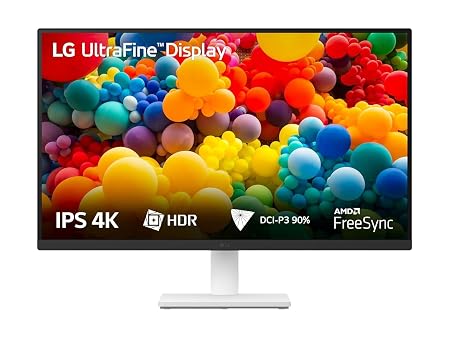
This delivers genuine 4K UHD resolution at 27 inches, sharing the top rating in this roundup with a solid review base backing real satisfaction. It’s the sharpest picture of any monitor here, well suited to detail-focused creative work or media consumption.
At 60Hz, it isn’t built for high-refresh gaming the way the Ultragear picks are — better suited to productivity and content viewing than competitive gaming.
Best for: buyers who want the sharpest picture at 27 inches for detail-focused work or media
- 👍 Genuine 4K UHD resolution, the sharpest in this roundup
- 👍 Shares the top rating with a solid review base
- 👍 Well suited to detail-focused creative work
- 👎 60Hz refresh isn’t built for high-refresh competitive gaming
- 👎 Priced at a premium over the FHD and QHD options here
BenQ GW2790QT Coding Monitor — Best for Coding and Productivity
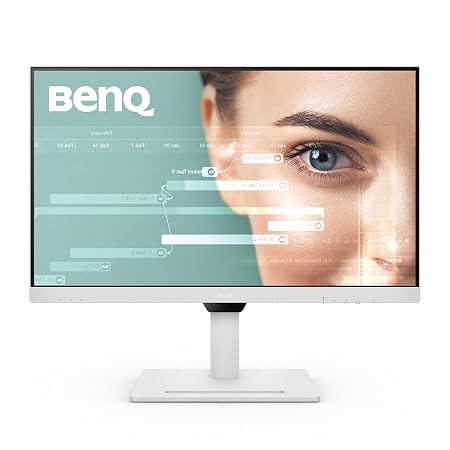
This carries the largest review base of any monitor in this roundup, genuinely purpose-built for coding and long productivity sessions rather than gaming. QHD resolution at 75Hz balances sharpness with smooth everyday scrolling and window management.
Its rating trails the gaming-focused picks slightly, and 75Hz won’t satisfy buyers specifically chasing high-refresh competitive gaming performance.
Best for: developers and productivity users who want a monitor purpose-built for long screen sessions
- 👍 Largest review base of any monitor in this roundup
- 👍 Genuinely purpose-built for coding and long productivity sessions
- 👍 QHD sharpness at a smooth 75Hz for everyday use
- 👎 Rating trails the gaming-focused Ultragear picks slightly
- 👎 75Hz won’t satisfy competitive gaming refresh-rate needs
HP Series 5 Eye Safe FHD — Best for Long Work Sessions
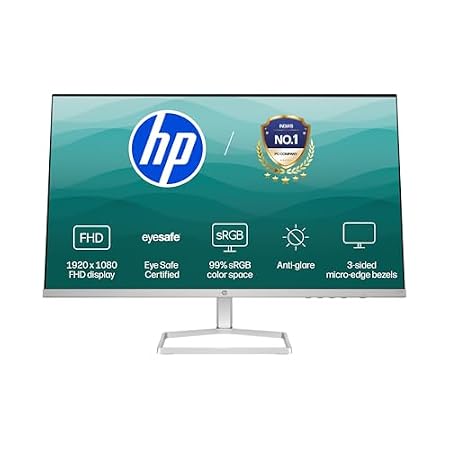
This carries a large review base with genuine Eye Safe certification, a real feature for buyers doing long daily work sessions rather than short gaming bursts. 99% sRGB colour accuracy adds real value for colour-sensitive office work.
Its rating trails most other picks in this roundup, so it’s worth weighing the eye-care certification against a small quality-rating trade-off.
Best for: buyers who spend most of their day at the screen and prioritise eye comfort
- 👍 Large review base backing this eye-care-focused monitor
- 👍 Genuine Eye Safe certification for long daily work sessions
- 👍 99% sRGB colour accuracy for office and design work
- 👎 Rating trails most other picks in this roundup
- 👎 FHD resolution and no high-refresh gaming features
Frequently Asked Questions
Should I choose FHD, QHD or 4K for a 27-inch monitor?
FHD like the Acer or LG Ultragear FHD picks is the most affordable; QHD like the curved LG Ultragear or BenQ coding monitor balances sharpness and price; 4K like the LG 27US500 gives the sharpest picture at a premium.
Is a curved 27-inch monitor better than a flat one?
It’s a genuine preference, not an objective upgrade — the curved LG 27GS60QC can feel more immersive for gaming, but a flat panel suits general productivity and multi-window work better for many buyers.
What’s the best 27-inch monitor for coding?
The BenQ GW2790QT Coding Monitor has the largest review base in this roundup and is genuinely purpose-built for long coding and productivity sessions at QHD resolution.
Do I need a high refresh rate for a 27-inch monitor?
Only if you game competitively — the LG Ultragear picks prioritise refresh rate and responsiveness, while the BenQ and HP picks prioritise sharpness and eye comfort for productivity instead.
Which 27-inch monitor is best for eye comfort during long work days?
The HP Series 5 has genuine Eye Safe certification specifically for long daily work sessions, though its rating trails most other picks in this roundup.
Which 27-inch monitor has the best rating?
The Acer SA272 P1, LG Ultragear 27GS65F, and LG 27US500 4K all share the highest rating in this roundup, spanning budget, gaming and 4K use cases.
Which 27-Inch Monitor Should You Buy?
On a budget, the Acer SA272 P1 Ultra-Slim FHD has the strongest recent sales and rating. Gamers should choose the LG Ultragear 27GS65F FHD for value or the LG Ultragear 27GS60QC Curved QHD for a more immersive experience. For the sharpest picture, the LG 27US500 4K UHD is the pick. Developers and productivity users are best served by the BenQ GW2790QT Coding Monitor, and if eye comfort during long work days matters most, the HP Series 5 Eye Safe delivers that.
As an Amazon Associate we earn from qualifying purchases — at no extra cost to you. We don’t print prices or ratings here because they change daily; tap through to Amazon for the current price and latest reviews.