Best Keyboards & Mice in India: Budget Wired to Mechanical Compared
A basic wired mouse gets forgotten the moment it works, which is exactly why most people never think to upgrade — until they try a mechanical keyboard or a properly comfortable wireless mouse and realise how much friction they’d been tolerating. This roundup covers three mice at different price and connection points, plus one genuinely upgraded mechanical keyboard.
DPI and button count matter less for most people than simple reliability and comfort, which the buying guide below focuses on rather than spec-sheet numbers most casual users will never max out.
All four are plug-and-play — the wired options need zero setup, and the wireless mouse pairs in seconds via its included USB receiver.
How to pick the right keyboard or mouse
Three things that matter more than DPI numbers for everyday use.
- Wired means zero battery anxiety; wireless means less desk clutter. A wired mouse never needs charging or battery replacement, but a wireless one keeps your desk tidier and gives more freedom of movement — neither is objectively better, it’s a genuine trade-off.
- Mechanical keyboards feel and sound different from standard membrane keyboards, and it’s a real preference split. Mechanical switches give tactile, distinct feedback per keypress that some people love and others find unnecessary — try one in person if you can before committing.
- DPI matters more for gaming or design work than everyday browsing and typing. Higher DPI means more cursor movement per physical mouse movement — useful for precision tasks, less relevant for basic daily computer use.
The best keyboards and mice you can buy right now
Dell MS116 — the extremely popular wired mouse
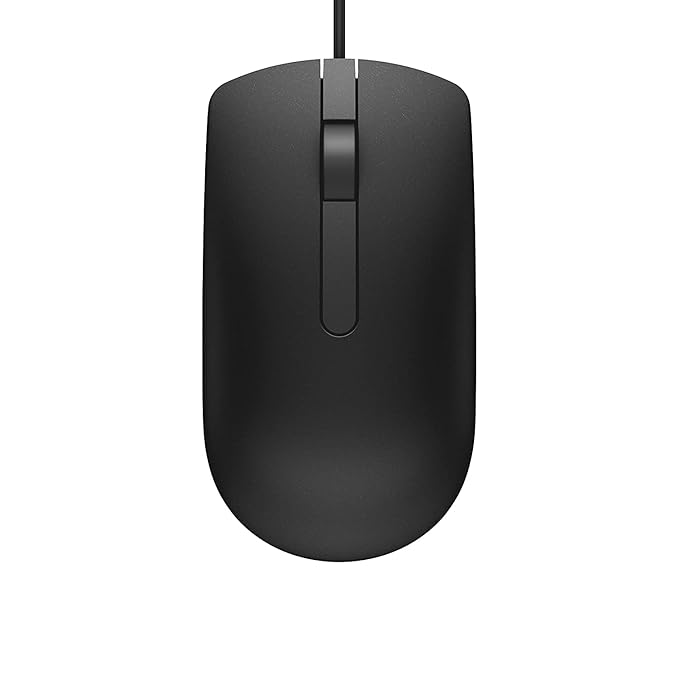
This mouse’s review count — well past forty-eight thousand — says most of what you need to know. It’s a straightforward wired optical mouse with 1000 DPI and a scroll wheel, at a price that makes it an easy default choice for any desktop setup.
There’s nothing fancy here, and that’s exactly the appeal — plug it in via USB and it just works, with Dell’s reliability backing up the enormous positive review base.
Best for: Anyone wanting a genuinely reliable, no-fuss wired mouse with a huge proven track record.
- 👍 Enormous, overwhelmingly positive review base
- 👍 Genuinely affordable
- 👍 Zero setup — plug and use immediately
- 👍 Trusted Dell reliability
- 👎 Wired only, no wireless flexibility
- 👎 Basic 2-button plus scroll wheel design, nothing extra
- 👎 1000 DPI is fine for everyday use but not built for gaming precision
ZEBRONICS Zeb-Comfort — the budget wired alternative
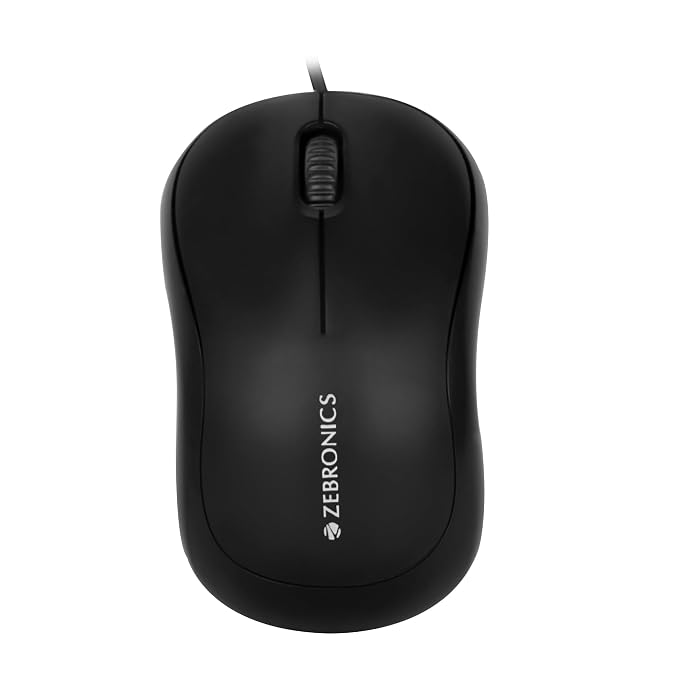
This sits at a similar price point to the Dell MS116 but adds a third button, giving a bit more functionality for those who use programmable or back/forward buttons in their workflow or browsing.
Its large review base suggests solid everyday reliability, making it a fair alternative if you specifically want ZEBRONICS as a brand or the extra button matters to you.
Best for: An even more budget-friendly wired option with an extra button over the basic Dell.
- 👍 3-button design adds functionality over basic 2-button mice
- 👍 Strong review base for reliability
- 👍 Similar affordable pricing to the Dell alternative
- 👍 Simple wired plug-and-play setup
- 👎 Wired only, same limitation as the Dell
- 👎 Slightly lower rating than the Dell MS116
- 👎 Extra button is a marginal benefit for most casual users
ZEBRONICS Wireless Mouse — the cable-free pick
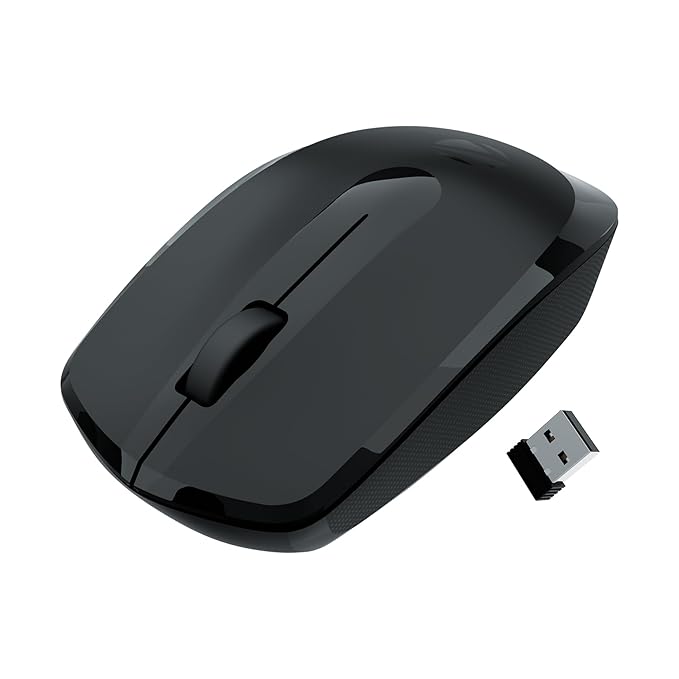
This trades the reliability of a permanent wired connection for the convenience of a clutter-free desk — a 2.4GHz wireless connection via USB receiver, with a higher 3200 DPI than the wired options here for more precise cursor movement.
It needs a battery, which is the standard trade-off with any wireless mouse, but for reducing desk cable clutter or using a laptop from a couch or different position, it’s a genuine convenience upgrade.
Best for: Anyone wanting to ditch the cable and clean up their desk setup.
- 👍 Wireless — no desk cable clutter
- 👍 Higher 3200 DPI than the wired options for more precision
- 👍 Simple USB receiver pairing, no complex setup
- 👍 Ergonomic design for comfortable extended use
- 👎 Needs battery replacement or recharging over time
- 👎 Slightly lower rating than the wired Dell option
- 👎 USB receiver can be misplaced if you travel with it
EvoFox Katana S Mini — the mechanical keyboard upgrade
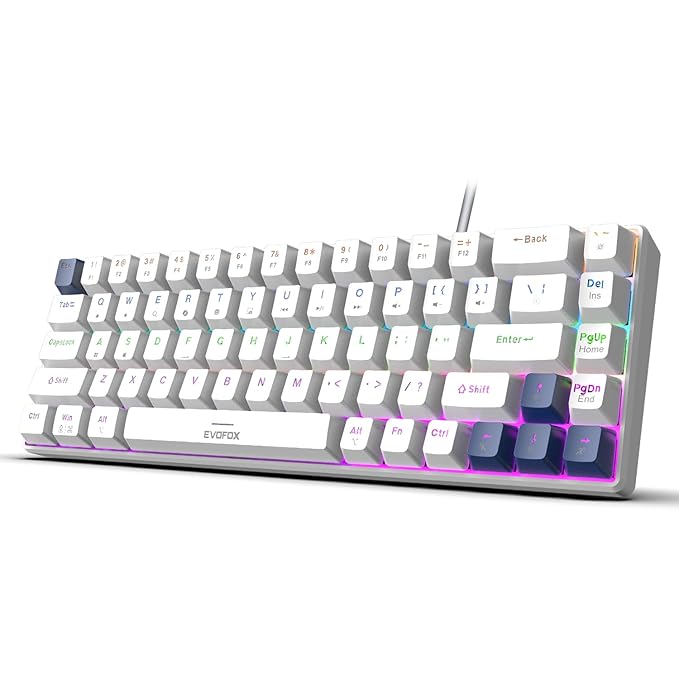
This is a genuine step up from a standard membrane keyboard — mechanical switches (silent red, in this case) give distinct, satisfying tactile feedback per keypress without the loud clack some mechanical keyboards are known for. Being hot-swappable means you can even change switch types later without needing to solder anything.
The compact “mini” layout saves desk space by dropping the numpad, which suits most everyday typing and gaming setups where a full-size keyboard’s extra width isn’t needed.
Best for: Anyone who types or games regularly and wants the tactile feel of mechanical switches.
- 👍 Mechanical switches give genuine tactile typing feedback
- 👍 Silent red switches avoid the loud clack of louder mechanical types
- 👍 Hot-swappable design allows future switch changes without soldering
- 👍 Compact layout saves desk space
- 👎 Costs meaningfully more than a standard membrane keyboard
- 👎 Mechanical feel is a preference, not universally preferred
- 👎 Compact layout drops the numpad, which some users specifically need
Frequently Asked Questions
Should I get a wired or wireless mouse?
A wired mouse like the Dell MS116 or ZEBRONICS Zeb-Comfort never needs charging and is generally cheaper. A wireless mouse like the ZEBRONICS Wireless option keeps your desk tidier and offers more freedom of movement, at the cost of occasional battery replacement.
Is a mechanical keyboard worth the extra cost over a standard one?
If you type or game regularly, many people find the tactile feedback of mechanical switches like those in the EvoFox Katana S Mini genuinely improves the experience. For occasional or light use, a standard membrane keyboard works fine and costs less.
What does DPI mean on a mouse, and how much do I need?
DPI measures how far the cursor moves per physical inch of mouse movement — higher DPI, like the 3200 on the ZEBRONICS Wireless mouse, means more precision and speed. For everyday browsing and typing, even a basic 1000 DPI like the Dell MS116 is perfectly sufficient.
What are hot-swappable mechanical switches?
It means you can physically remove and replace the switches under each key on the EvoFox Katana S Mini without needing to solder anything — useful if you want to try different switch feels over time without buying a whole new keyboard.
Why would I choose a 3-button mouse over a basic 2-button one?
The extra button on the ZEBRONICS Zeb-Comfort can be programmed or used for browser back/forward navigation, which is a small convenience for users who do a lot of web browsing, though most casual users won’t notice a big difference from a basic 2-button design.
Is a compact “mini” keyboard missing anything important?
Mainly the numpad — the EvoFox Katana S Mini drops it to save desk space, which is fine for most typing and gaming use but worth avoiding if you specifically do frequent numeric data entry that benefits from a dedicated numpad.
The bottom line
For a dependable, no-fuss wired mouse, the Dell MS116‘s track record makes it the safe default, with the ZEBRONICS Zeb-Comfort as a solid alternative if the extra button appeals. If you want to ditch the cable, the ZEBRONICS Wireless mouse delivers genuine convenience. And if you type or game enough to care about feel, the EvoFox Katana S Mini mechanical keyboard is a worthwhile upgrade from a standard membrane board.
As an Amazon Associate we earn from qualifying purchases — at no extra cost to you. We don’t print prices or ratings here because they change daily; tap through to Amazon for the current price and latest reviews.